

Classroom Escape Rooms

Build escape room lessons that feel like a mission, not another worksheet.

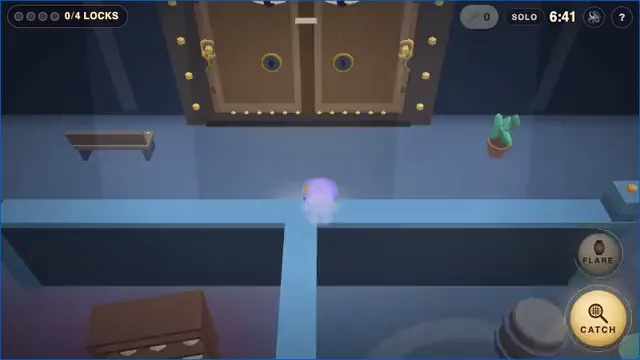
Turn your content into a playable lesson flow with Lesson Creation Wizard, map-based progression, clue activities, locks, Treasure Keys, timers, and live teacher control.

Start free and build your first classroom escape room in Deck.Toys.

  • Start from worksheets, slides, docs, notes, or video
  • Run teacher-paced or student-paced missions
  • Track every team live from the map
Escape room mission map layered over an adventure background
Cipher ChestStartCipher ChestPinned MapPinned MapJournal ClueJournal ClueKey RingKey RingCipher WheelCipher WheelEscape MapEscape Map

Why Deck.Toys is meant for escape rooms

It gives you both the game structure and the classroom controls, so the escape room stays fun without losing the lesson goal.

The lesson becomes the game board

Students move through a visual path, so every clue, detour, and final unlock feels connected instead of scattered across separate slides.

You control the pacing

Use Teacher Sync for shared clue reveals, then switch to Free Mode when you want teams exploring, solving, and unlocking on their own.

Students keep doing, not just watching

Mix drag-and-drop activities, mystery mini-games, locks, timers, and response apps so the mission stays active from start to finish.

From teacher material to escape mission

Design the journey with a map, then layer in clues, unlocks, and classroom control.

Lesson Creation Wizard

Start from what you already teach

Bring in a worksheet, slide deck, document, notes, or a video. Lesson Creation Wizard helps you turn the content into a classroom escape room idea instead of starting from a blank page.

  • Use the Escape Room theme as the creative direction
  • Generate a lesson structure before polishing the clue flow
  • Adapt the mission to your subject, grade, and objectives
Lesson Creation Wizard workflow turning teaching materials into a deck plan
Map And Routes

Make progress visible on a real learning path

Students move through a visual map instead of a flat list of questions. That makes each clue feel connected to the next checkpoint.

  • Scatter clue stops, detours, and final unlocks across the route
  • Use checkpoints and branches for optional supports or side missions
  • Let the map itself build anticipation
Deck.Toys learning path map with checkpoints and progress
Teacher Sync Or Free Mode

Run it live or let teams escape at their own pace

Switch between Teacher Sync for whole-class moments and Free Mode for self-paced exploration. You can reveal clues together, then release teams to solve independently.

  • Pull every student back for a clue reveal or debrief
  • Send teams off to solve branches on their own devices
  • Use the same deck for guided play or independent stations
Teacher Sync mode view showing students following the teacher screen
Student self-exploration view in Deck.Toys
Clues And Locks

Mix clue types so the mission never feels repetitive

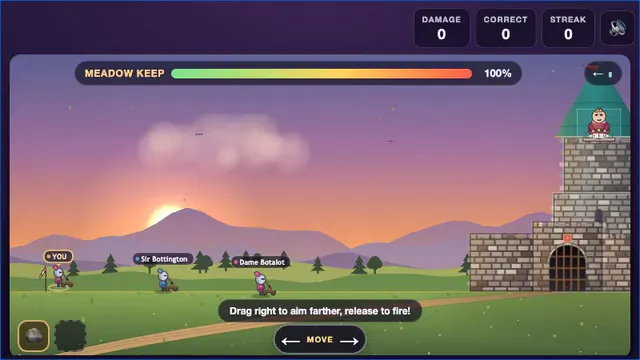
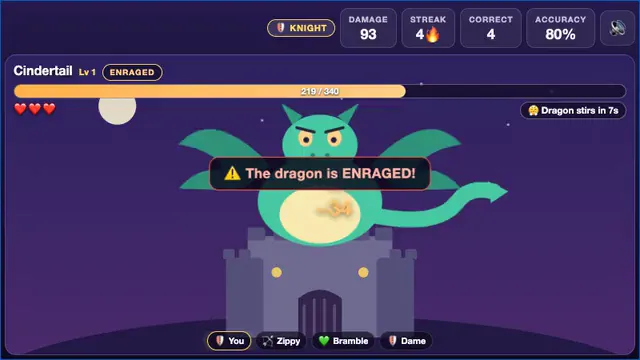
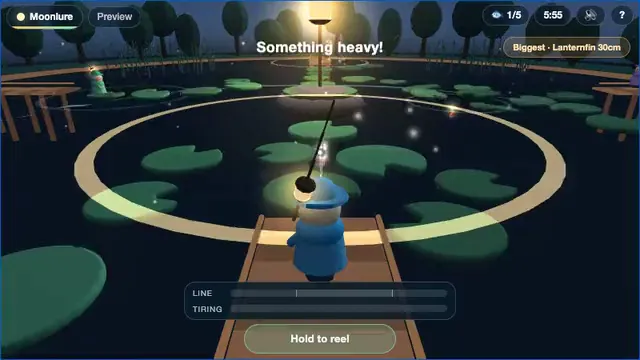
Combine drag-and-drop tasks, mystery mini-games, text or number locks, Treasure Keys, timers, and response apps to create a satisfying escape sequence.

  • Drop in Mystery Crypt, Mystery Mines, or Mystery Piano
  • Gate progress with answers, collected keys, or completed activities
  • Keep pressure high with timers and live student feedback
Deck.Toys drag-and-drop activity builder

Escape-room features teachers actually need

These are the Deck.Toys building blocks that make an escape room feel intentional instead of improvised.

Text, number, QR, and Treasure Key locks

Gate the next clue with the kind of lock that fits the challenge instead of forcing every answer into one format.

Mystery clue mini-games

Add Mystery Crypt, Mystery Mines, and Mystery Piano when you want a clue moment students will remember.

Map checkpoints and branching routes

Build the mission as a journey with optional supports, side quests, and a clear final escape path.

Teacher Sync and Free Mode

Run shared puzzle moments live, then switch to self-paced exploration without rebuilding the deck.

Teams and collaborative unlocks

Group students into teams and design routes or unlock rules that reward collaboration.

Live progress and response apps

Watch progress from the map and collect answers through response apps while students solve.

A practical way to build the mission

You do not have to craft the entire escape room from scratch before the idea becomes usable.

1

Bring in your source

Start from the worksheet, notes, slides, deck, or video you already planned to teach with.

2

Set the escape theme

Use the Escape Room theme, then tune the topic, objectives, and age level for your class.

3

Add the unlock flow

Place clue tasks, mystery moments, locks, keys, branches, and timers where they make the mission feel earned.

4

Run, watch, and refine

Use Teacher Sync or Free Mode, monitor progress on the map, and improve the flow after one class run.

Escape room questions teachers usually ask

These are the common classroom concerns before a teacher commits to building an escape room lesson.

How do teachers create an escape room in Deck.Toys?

Teachers can start from existing materials in Lesson Creation Wizard, set an Escape Room theme, then arrange clue activities, locks, Treasure Keys, and checkpoints on a Deck.Toys learning path.

Can Deck.Toys run both teacher-paced and student-paced escape rooms?

Yes. Teachers can use Teacher Sync for shared puzzle reveals and whole-class pacing, or switch to Free Mode so students or teams move through the escape room at their own pace.

Can I build a classroom escape room from my worksheet, slides, or video?

Yes. Deck.Toys Lesson Creation Wizard can start from notes, documents, slides, worksheets, files, or video, which makes it easier to turn existing teaching content into an escape room lesson.

Create an escape room that still teaches the lesson

Deck.Toys gives you the game structure, the classroom controls, and the AI-assisted starting point. You still decide the learning goal, clue quality, and pacing.

Create a free teacher account and start building your first classroom mission.